From Signup to Automated: Your First 30 Days with Jipsa
What happens after you sign up for Jipsa? A week-by-week guide to going from manual household management to a fully automated home.
The beta is open — hand this off to Jipsa. Free to start, no card required.
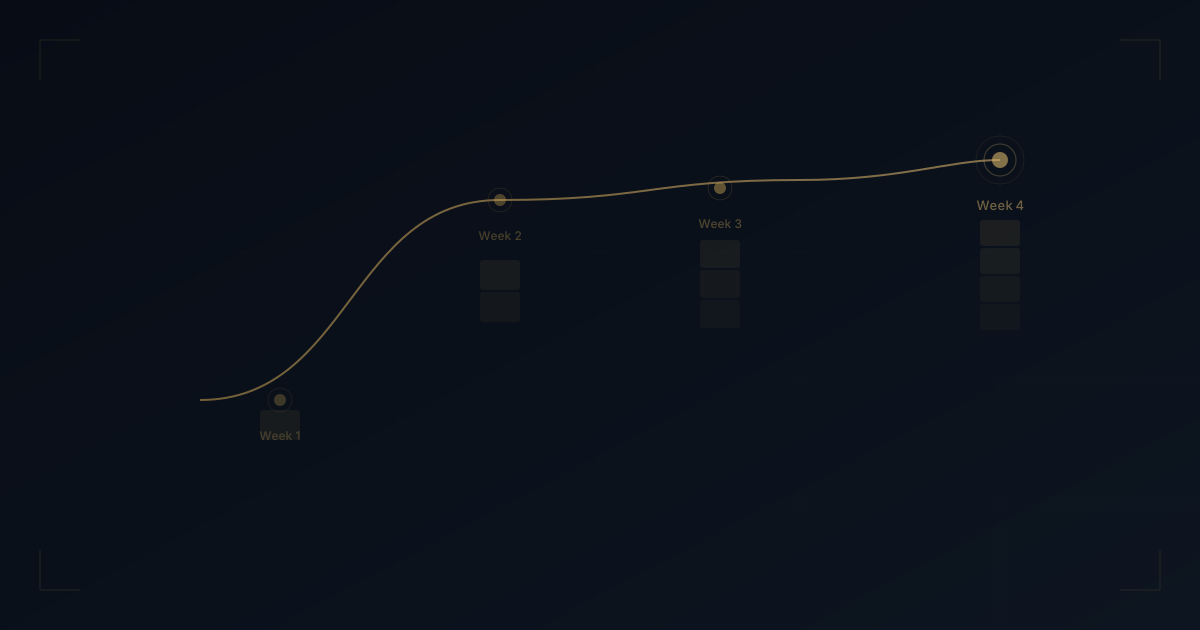
Sign Up for BetaYour first 30 days with Jipsa follow a natural arc: from curiosity to reliance. Not because of a designed onboarding funnel, but because each week, you hand off more of the invisible workload -- and each time, you realize how much time you were spending on something Jipsa handles better.
Here is exactly what the first month looks like, from signup to a household that largely runs itself.
Week 1: The Basics Click
Day 1: Setup
Getting started takes under five minutes. You create your account, connect your first service (most people start with grocery delivery), and tell Jipsa the basics about your household: how many people, any dietary restrictions, general food preferences.
Jipsa is not asking for this information to fill a database. It is asking so that the first meal plan it generates actually works for your life. Tell it your partner is vegetarian and your kids will not eat mushrooms, and that context shapes every decision Jipsa makes going forward.
Day 2-3: Your First Meal Plan
This is the moment most users get it. Jipsa generates a full week of meals -- breakfast, lunch, and dinner -- tailored to your household. The meals respect your dietary preferences, factor in what you already told Jipsa about your pantry, and balance nutrition and variety without you thinking about any of it.
You can edit the plan conversationally: "swap Tuesday's dinner for something quicker" or "no seafood this week." Jipsa adjusts instantly. The grocery list rebuilds itself. The entire process takes 30 seconds instead of the hour you used to spend.
Day 4-5: Groceries Handled
The grocery list generated from your meal plan is precise. Every ingredient, in the right quantity, for the right recipes. No duplicates. No "I think we need this." Jipsa cross-references your pantry so you are not buying what you already have.
Place the order through your connected delivery service. When the groceries arrive, everything on that list maps to an actual meal this week. No food waste from forgotten ingredients. No impulse buys. No second trip because you forgot the garlic.
Day 6-7: The First Weekend Shift
By the end of Week 1, you notice something subtle but significant: you did not think about dinner once. Not the planning. Not the shopping. Not the "what should we have" conversation. It was just handled.
This is the shift. Not a feature you tried. A workload that disappeared.
Week 2: Expanding the System
Morning Briefings
With a week of meal planning behind you, most users turn on the morning briefing. Every morning, Jipsa delivers a consolidated view of your day: weather, schedule, tonight's dinner and recipe, anything that needs your attention, and anything Jipsa handled overnight.
The briefing replaces the 15-minute morning scramble -- checking weather, scanning calendars, figuring out the plan for the day. It is already done when you pick up your phone.
Your Preferences Sharpen
Jipsa is learning. If you consistently swap out the salmon it suggests for chicken, it adjusts. If you always modify Friday's dinner to be something more elaborate, it starts planning accordingly. By Week 2, the meal plans require fewer edits. Not because Jipsa got lucky, but because it got smarter.
This is fundamentally different from apps that require you to maintain them. Jipsa maintains itself. Your input makes it better. Your silence means it is already right.
Date Night and Events
If you are curious, this is the week to explore Jipsa's lifestyle capabilities. Ask for date night suggestions -- Jipsa generates curated options with real venues, addresses, and reservation links. Browse local events for the weekend. Let Jipsa plan a surprise outing.
These features are not core to the household management value. They are the upside of having a system that already understands your preferences, schedule, and location. Event recommendations that actually match what you enjoy, because Jipsa already knows.
Week 3: The Compound Effect
Pantry Intelligence
By Week 3, Jipsa has three weeks of data on what you eat, what you buy, and what you use. Its pantry awareness becomes sharper. Meal plans build on ingredients from previous weeks. Grocery lists get more efficient. The system starts to feel less like an app and more like a household member who handles logistics.
You will notice the grocery bill trending down. Not from sacrifice, but from precision. Less waste. Fewer impulse items. No duplicate purchases.
Proactive Suggestions
Jipsa begins anticipating rather than just responding. It notices patterns you have not articulated: you always want lighter meals on Mondays, you tend to eat out on Fridays, you prefer trying new recipes on weekends. The suggestions start arriving before you ask.
This is the transition from tool to system. You are not managing Jipsa. Jipsa is managing the parts of your life you asked it to handle.
Maintenance and Tracking
If you have connected additional services, Week 3 is when the broader household management starts to feel seamless. Subscription tracking catches the service you forgot you were paying for. Home maintenance reminders surface at the right time. Financial visibility gives you a clearer picture of where money goes.
Each additional capability compounds the value. Not because more features are better, but because more context makes every feature smarter.
Week 4: The New Normal
You Stop Thinking About It
This is the goal. By Week 4, you do not think about meal planning. You do not think about groceries. You do not think about what is on your calendar tomorrow because the briefing told you. You do not track household maintenance because Jipsa does.
The mental load that used to occupy background processes in your brain all day is gone. Not reduced. Gone. Jipsa is carrying it.
The Time Appears
Users consistently report the same experience at the one-month mark: time they did not know they were missing. Evenings that used to disappear into logistics now contain rest, conversation, exercise, hobbies. Weekends that used to start with errands now start with brunch.
The time was always there. It was just consumed by the invisible workload of running a household. Jipsa made it visible by making it disappear.
You Expand
By the end of Month 1, most users have expanded Jipsa beyond their initial use case. Started with meal planning? Now you are using briefings, event discovery, and date night planning. Started with grocery delivery? Now Jipsa manages your pantry, tracks your subscriptions, and reminds you about home maintenance.
This expansion is not upselling. It is the natural outcome of trusting a system that proved itself on the first task you gave it.
What the First 30 Days Actually Costs
In time: five minutes to set up. A few minutes per day reviewing briefings and approving suggestions. Less time each week as Jipsa learns your preferences.
In attention: almost nothing. Jipsa does the work. You review the results. The cost-benefit math gets more favorable every week as the system requires less input and delivers more value.
In trust: this is the real currency. You are trusting a system to handle things you have always done yourself. That trust builds gradually -- first with meals, then with schedules, then with the broader household. Jipsa earns it by being right, transparent, and controllable.
The 30-Day Benchmark
One month is enough to know whether Jipsa works for your household. Not in theory. In practice. You will have generated a month of meal plans, placed weeks of grocery orders, received daily briefings, and explored lifestyle features.
The question at the 30-day mark is not "is this useful?" It is "how did I do this without it?"
That is the answer to whether a personal AI butler is worth it. Not the marketing. Not the cost-benefit spreadsheet. The experience of a month where your household ran itself.
Ready to start your first 30 days? Here is how Jipsa works.
Let Jipsa handle it for you
The beta is open. Create your account and hand off the logistics of everyday life — free to start, no card required.
Sign Up for BetaFree Download
The AI Home Management Checklist
42 tasks AI can handle for your household — from meal planning to home maintenance. See exactly what to automate first.